


Transform Your Meditation Practice
Join thousands of meditators who've upgraded to premium advanced features with the ultimate meditation timer.
Begin meditation after:
 Move the slider to set the count down
 Move the slider to set the duration
Taking you to your completion page
Ring every:
You meditated for 10 minutes



Get started straight away
Join thousands of meditators who've upgraded to premium advanced features with the ultimate meditation timer.
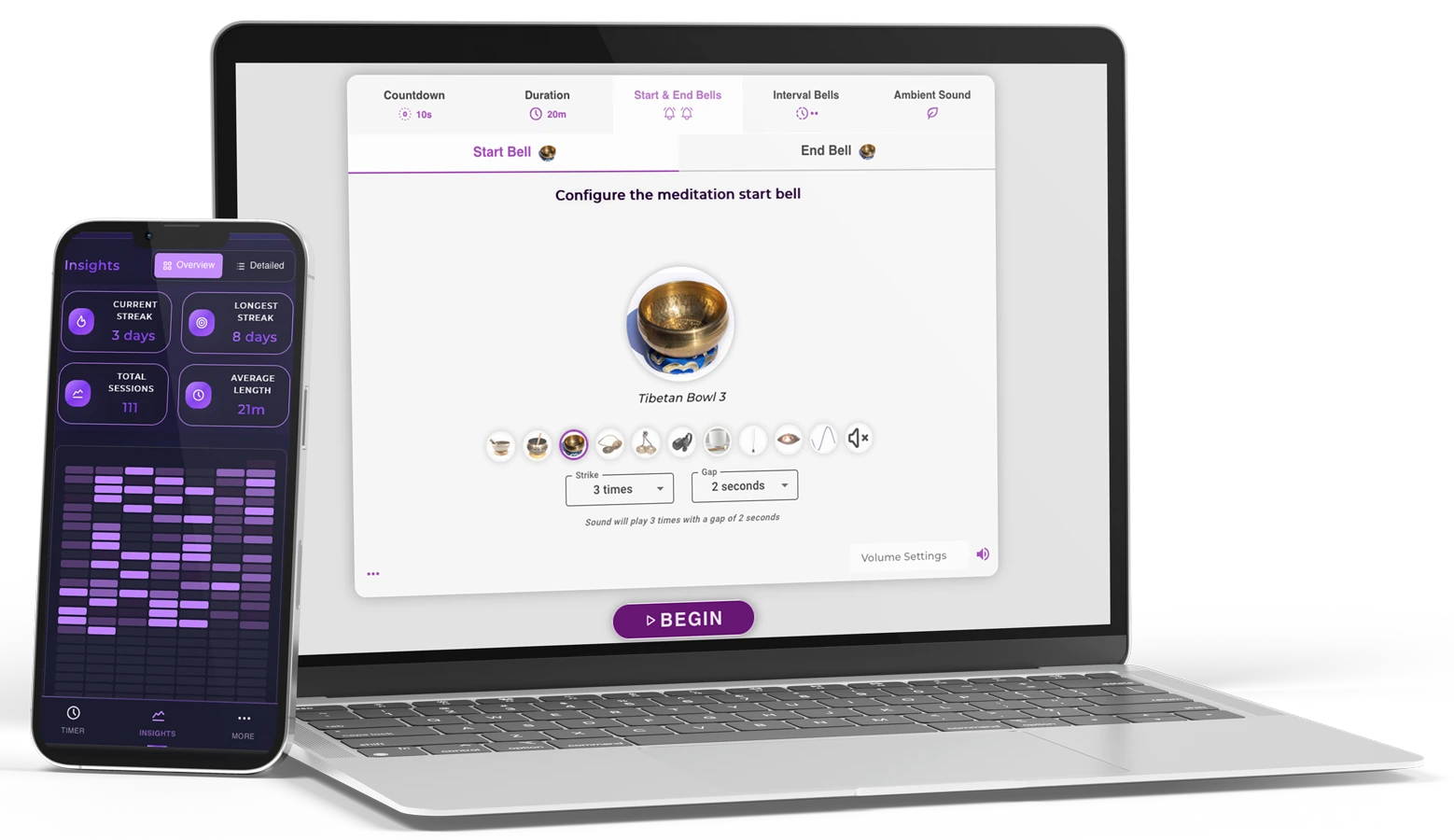
Meditation Timer Premium
Personalize your meditation space with stunning themes and colors
Track your meditation journey with insightful progress charts
Build lasting habits and never break your meditation chain
Meditate as long as you need without any restrictions
Set up to 10 intervals for perfect guided meditation sessions
Authentic Tibetan bowls, nature and ambient sounds

Everything you need
Basic features
Get the Meditation Timer mobile app for Android (iOS coming soon).
All premium features available on mobile.
Free download • Premium features included
Reflections, behind-the-scenes stories, and practical wisdom from our meditation blog.
Typing a 50-character direct download link for an APK file on an emergency browser is highly error-prone. Instead, custom short URLs (like the Bitly string queried) redirect the device instantly to an open cloud repository, such as APKMirror or Uptodown , to grab the necessary patch files. Standard Diagnostics: Resolving Common Play Services Errors Download the APK from Uptodown - Google Play services
Based on extensive searches and publicly available information, the specific Bitly code “frpzte2” does appear in the general web index or Google’s search results. It has not been widely shared, documented, or discussed in any public forum, help site, or technical community.
: Search for "Google Play Services" to check for available updates or status. Device Settings Settings > Apps > Google Play Services bitly frpzte2 google play services best
| | How to Implement | |-------------------|----------------------| | Keep it updated | Go to Settings → Apps → Google Play Services → App details (or update via Play Store). | | Clear cache regularly | Settings → Apps → Google Play Services → Storage → Clear Cache (not data). | | Battery optimization off | Settings → Battery → Battery Optimization → Select Google Play Services → Don’t optimize. |
Go to Settings > Apps > Google Play Services . Scroll to the bottom to find "App Details." This will take you to the official Store page to check for updates. Typing a 50-character direct download link for an
Instead of relying on unverified short links that might point to outdated or modified installation packages, users can resolve framework issues using standard Android system management utilities. Troubleshooting Action Primary Purpose Impact on Device Flushes temporary files holding bad data. Safe; preserves personal user accounts. Clear Storage Data Resets the background component entirely. Restores defaults; requires temporary re-syncing. System Apps Toggle Exposes deep OS infrastructure in menus. Allows manual version checking and rollbacks. How to Safely Reset the System Framework
You've likely hit the FRP (Factory Reset Protection) lock on a second-hand Android phone and are looking for the old trick where updating Google Play Services via a special APK unlocks the device. It has not been widely shared, documented, or
Bitly FRPZTE2 is a shortened link that directs users to a specific resource, often a guide or a tool, designed to help bypass FRP on ZTE devices. By using this link, users can access a step-by-step guide on how to remove FRP from their ZTE devices, allowing them to regain access to their device without needing to enter their Google account credentials.
Bypassing security usually requires installing APKs from "Unknown Sources." These files can contain malware or spyware that Google Play Protect cannot scan before installation.

Why I created Meditation Timer Online
Continue Reading
Exploring the concept of 'I love you' in our lives. A reflection on the power of love.
Continue Reading
Exploring the concept of 'nothing is missing' in our lives. A reflection on Lao Tzu's wisdom.
Continue Reading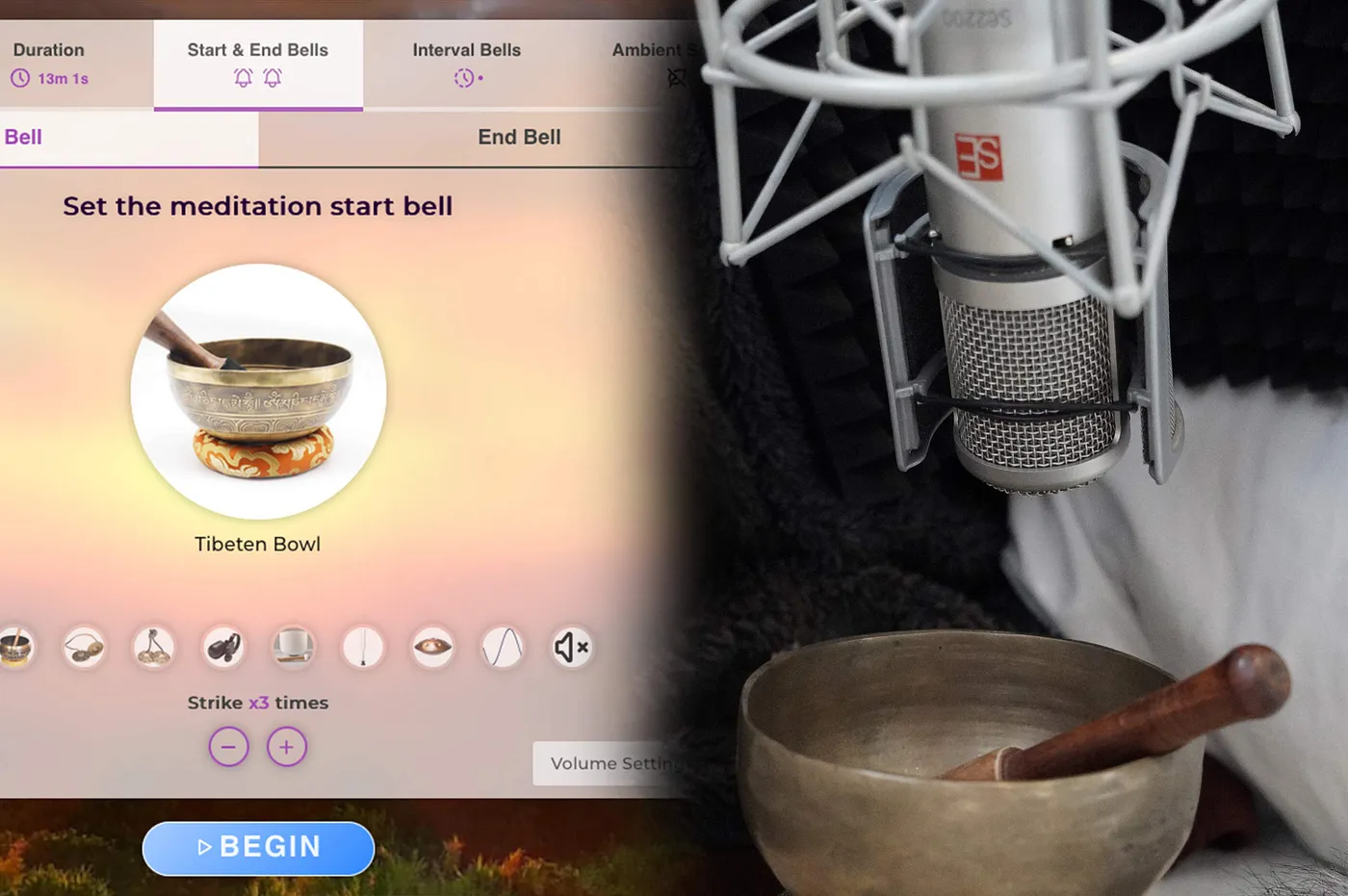
How we record the sounds for the meditation timer
Continue Reading
A reflection on Viktor Frankl's wisdom and the importance of mindfulness in our daily lives.
Continue ReadingWant to explore more meditation insights and tips?
View All ArticlesDiscover the science and benefits behind different meditation lengths. Learn which duration is right for your goals and experience level.
When you only have 60 seconds, this quick meditation can instantly reduce stress and reset your mind. Perfect for beginners and busy schedules.
Learn About 1 Min PracticeStep up from 1-minute sessions with this 2-minute meditation. Long enough for real benefits, short enough for any schedule.
Learn About 2 Min PracticePerfect for busy schedules - 5 minutes is all you need to reduce stress, improve focus, and build a daily meditation habit.
Learn About 5 Min PracticeLonger meditation practice for stress relief and improved focus. Ideal for those comfortable with shorter sessions.
Learn About 10 Min PracticeIntermediate meditation practice that develops sustained attention and deeper states of relaxation. Good for regular practitioners.
Learn About 15 Min PracticeExtended meditation practice that allows for deeper concentration and sustained mindfulness. Ideal for intermediate to advanced practitioners.
Learn About 20 Min PracticeAdvanced meditation practice for experienced practitioners. Develop sustained concentration and work with challenging emotional states.
Learn About 25 Min PracticeExtended meditation practice for experienced practitioners. Develop deep concentration and access advanced meditative states.
Learn About 30 Min PracticeNew to meditation? Start by learning about 1 or 2-minute practices and understand how to gradually build your practice.
Typing a 50-character direct download link for an APK file on an emergency browser is highly error-prone. Instead, custom short URLs (like the Bitly string queried) redirect the device instantly to an open cloud repository, such as APKMirror or Uptodown , to grab the necessary patch files. Standard Diagnostics: Resolving Common Play Services Errors Download the APK from Uptodown - Google Play services
Based on extensive searches and publicly available information, the specific Bitly code “frpzte2” does appear in the general web index or Google’s search results. It has not been widely shared, documented, or discussed in any public forum, help site, or technical community.
: Search for "Google Play Services" to check for available updates or status. Device Settings Settings > Apps > Google Play Services
| | How to Implement | |-------------------|----------------------| | Keep it updated | Go to Settings → Apps → Google Play Services → App details (or update via Play Store). | | Clear cache regularly | Settings → Apps → Google Play Services → Storage → Clear Cache (not data). | | Battery optimization off | Settings → Battery → Battery Optimization → Select Google Play Services → Don’t optimize. |
Go to Settings > Apps > Google Play Services . Scroll to the bottom to find "App Details." This will take you to the official Store page to check for updates.
Instead of relying on unverified short links that might point to outdated or modified installation packages, users can resolve framework issues using standard Android system management utilities. Troubleshooting Action Primary Purpose Impact on Device Flushes temporary files holding bad data. Safe; preserves personal user accounts. Clear Storage Data Resets the background component entirely. Restores defaults; requires temporary re-syncing. System Apps Toggle Exposes deep OS infrastructure in menus. Allows manual version checking and rollbacks. How to Safely Reset the System Framework
You've likely hit the FRP (Factory Reset Protection) lock on a second-hand Android phone and are looking for the old trick where updating Google Play Services via a special APK unlocks the device.
Bitly FRPZTE2 is a shortened link that directs users to a specific resource, often a guide or a tool, designed to help bypass FRP on ZTE devices. By using this link, users can access a step-by-step guide on how to remove FRP from their ZTE devices, allowing them to regain access to their device without needing to enter their Google account credentials.
Bypassing security usually requires installing APKs from "Unknown Sources." These files can contain malware or spyware that Google Play Protect cannot scan before installation.