Only download extraction scripts from trusted, official repositories like the legendary John the Ripper GitHub project. Step 1: Set Up Python
Move your copied wallet.dat file into this same folder for easy access. Step 2: Run the Extraction Script
To help determine the best recovery strategy, please share a few more details: extract hash from walletdat top
Press to open the "Go to Folder" window. Type ~/Library/Application Support/Bitcoin and press Enter .
Always perform these steps on an if the wallet contains significant funds. 🛠️ Step 1: Extract the Hash Using Bitcoin2john Type ~/Library/Application Support/Bitcoin and press Enter
This technical guide explains how to safely extract a wallet hash using standard open-source tools. Prerequisites and Security Protocols
If wallet.dat is a BDB, you can use db_dump (part of the Berkeley DB tools) to inspect the database contents: Prerequisites and Security Protocols If wallet
This comprehensive guide walks you through locating your file, extracting the hash safely, and tips on how to go about the password recovery process. Step 1: Locate Your wallet.dat File
John the Ripper is an industry standard for cracking password hashes. Because wallet.dat files use strong encryption, you cannot easily brute-force passwords from scratch unless they are very short. You can use a "wordlist attack" (where the software runs through a dictionary of millions of words) or a "mask attack" if you remember certain characteristics of your password (e.g., "it started with a capital letter and had four numbers at the end"). Option B: Hashcat (GPU-Optimized)


(C) DeliCAD.com - Add-ons for AutoCAD, BricsCAD, ZwCAD in topography, architecture, mechanics
Entreprise Individuelle Philippe Sérange
21 rue du Batifois
63500 Issoire - Puy-De-Dôme (63)
RCS Clermont-Ferrand 478 467 814
© 2026 The Rising Field. All rights reserved.

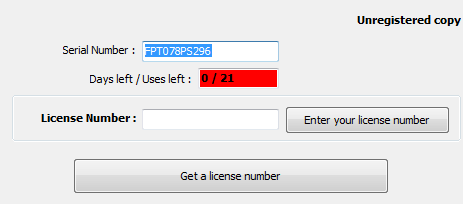
To find your serial number, click the 'Help' button ( ) of the add-on toolbar.
A dialog box displays, showing this number (in blue) :